
Take the tour
Step 1 of 7
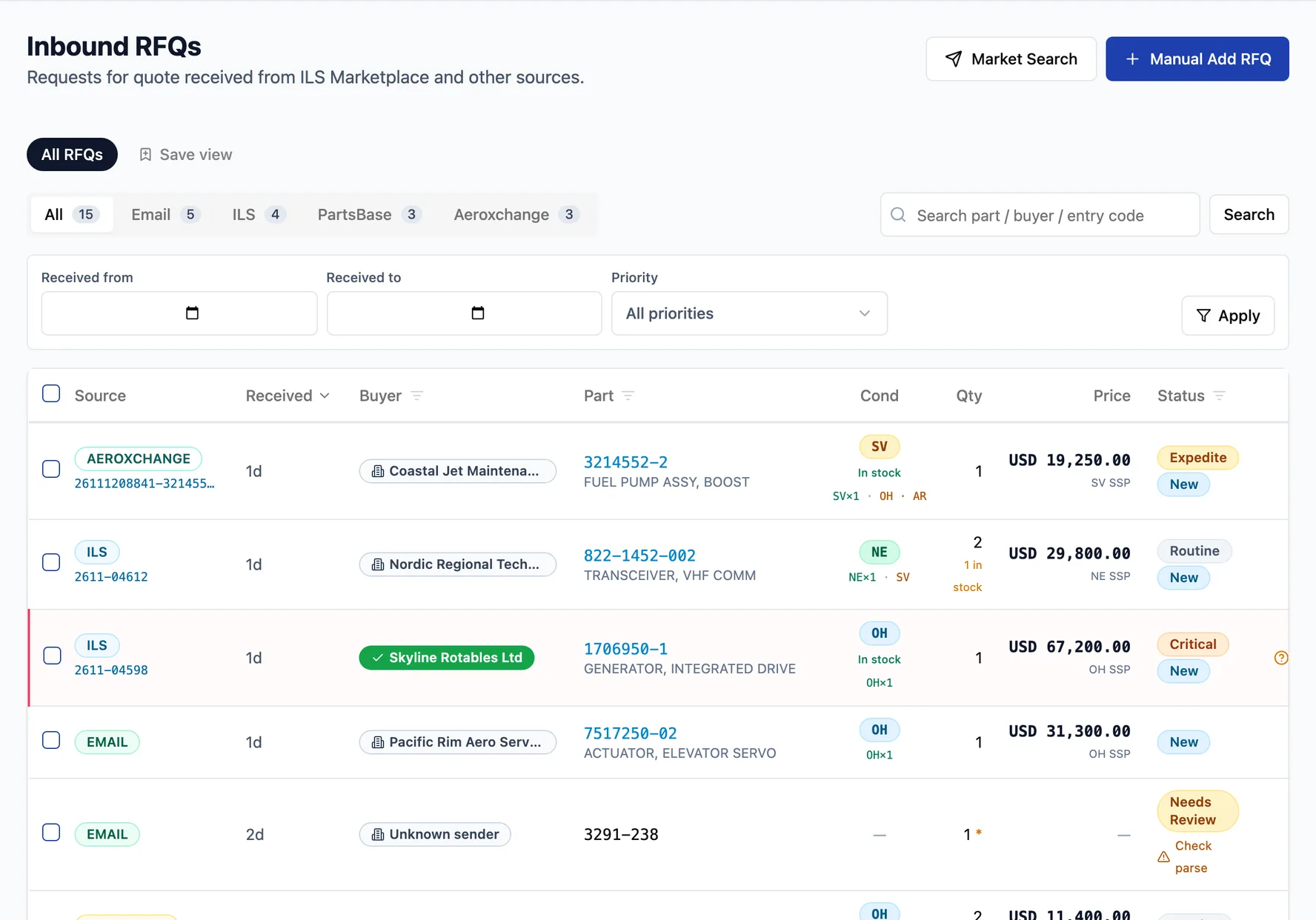
Every RFQ in one inbox
ILSmart, Aeroxchange and PartsBase RFQs land next to RFQ emails from your Microsoft 365 mailbox. Each line shows the part, the condition asked for, whether you have it in stock and its list price.
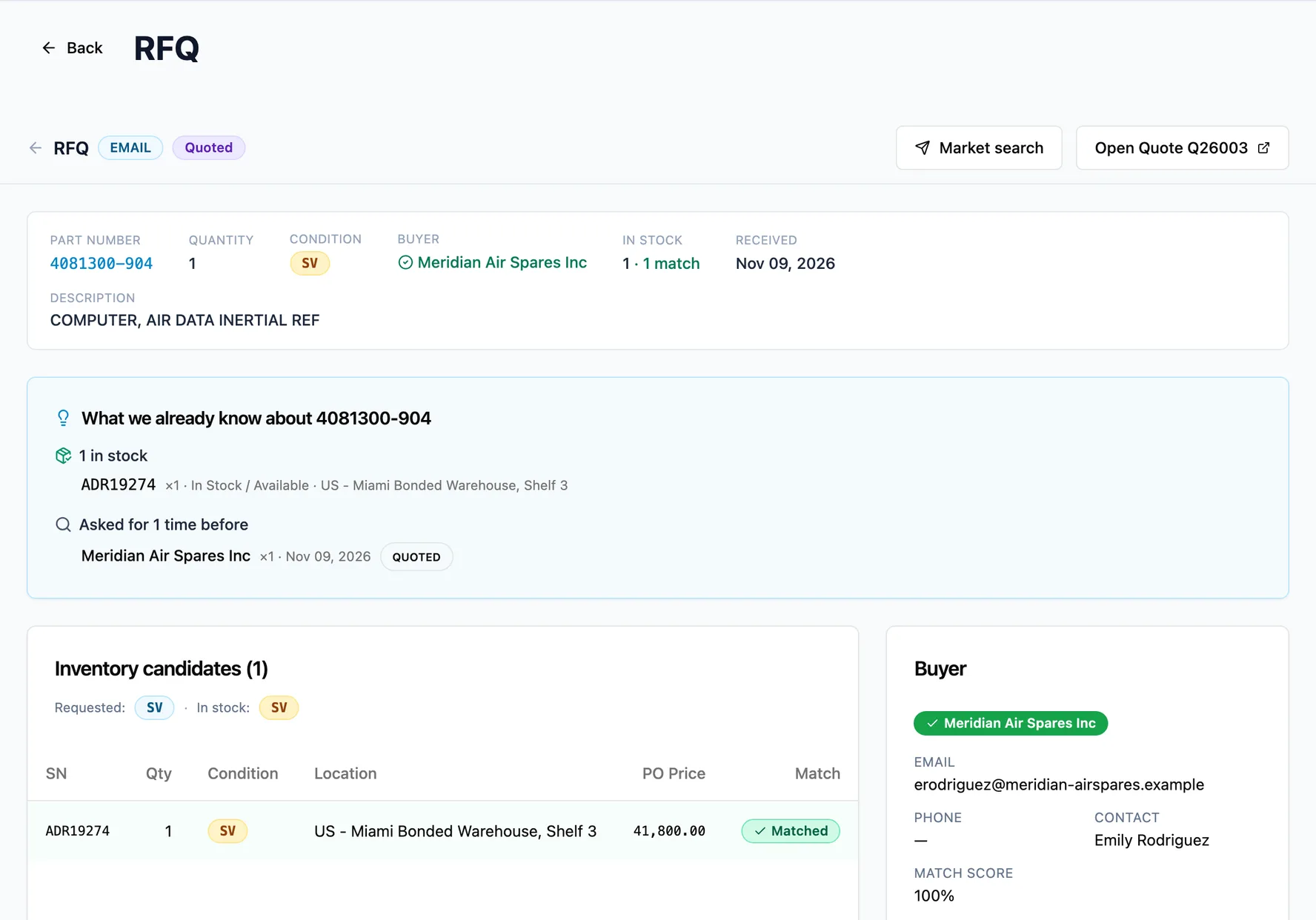
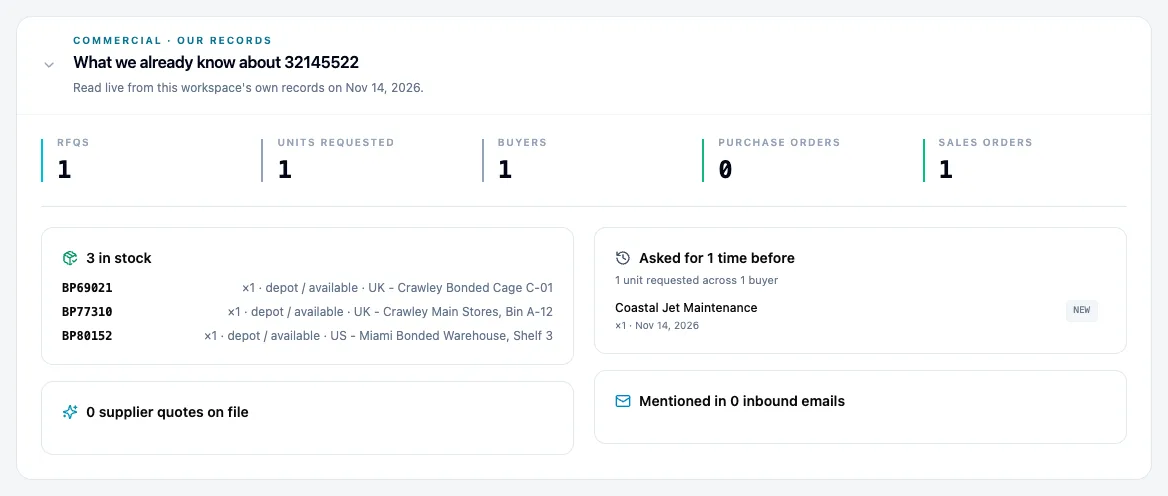
Know the part before you price it
Open an RFQ and Fenavia shows what your own records already say about the part: the units in stock with their location, and who asked for it before.
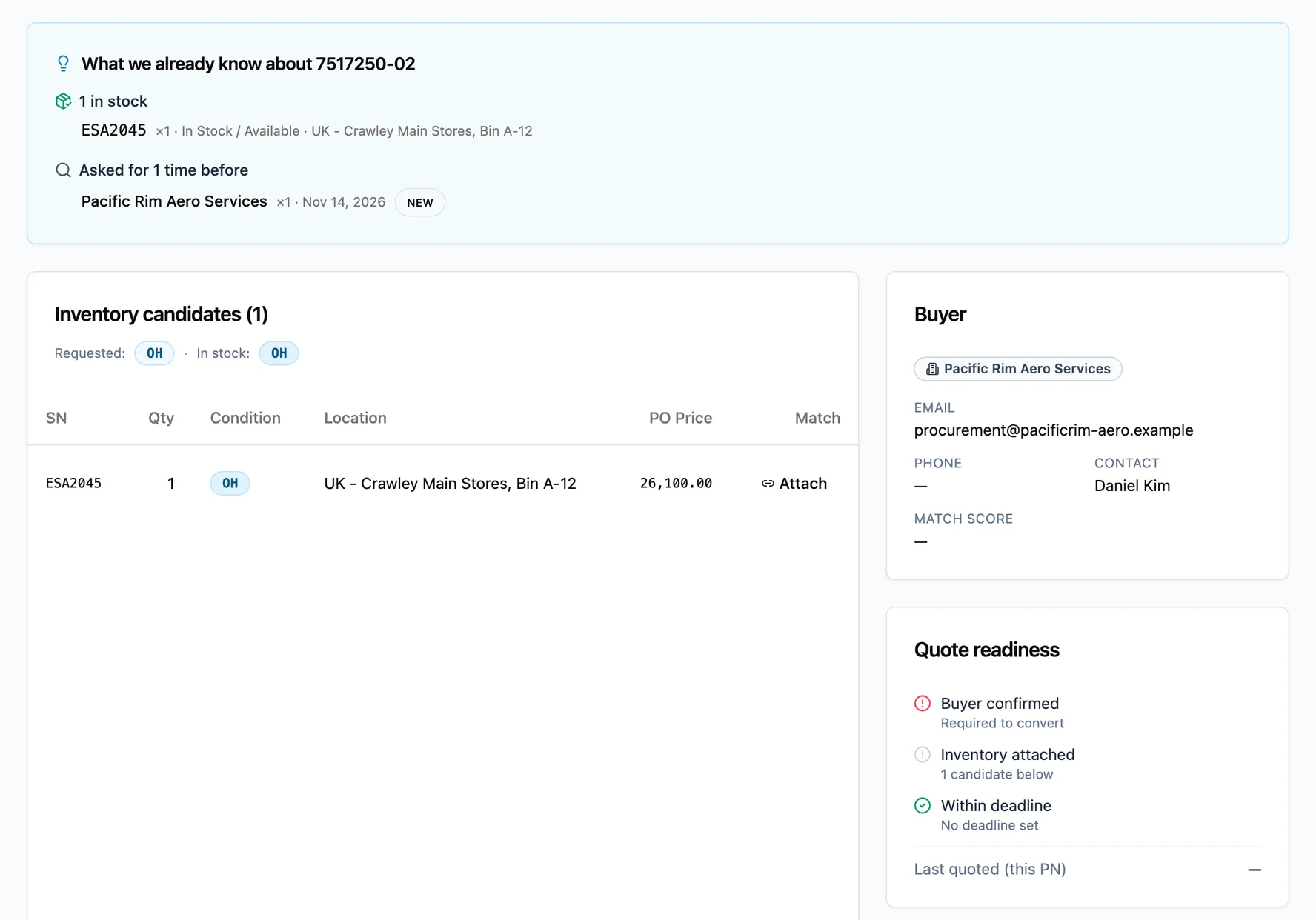
Check readiness, then convert to a quote
Quote readiness lists what is still missing, such as an unconfirmed buyer or no stock attached. When the checks pass, one click turns the RFQ into a quote.
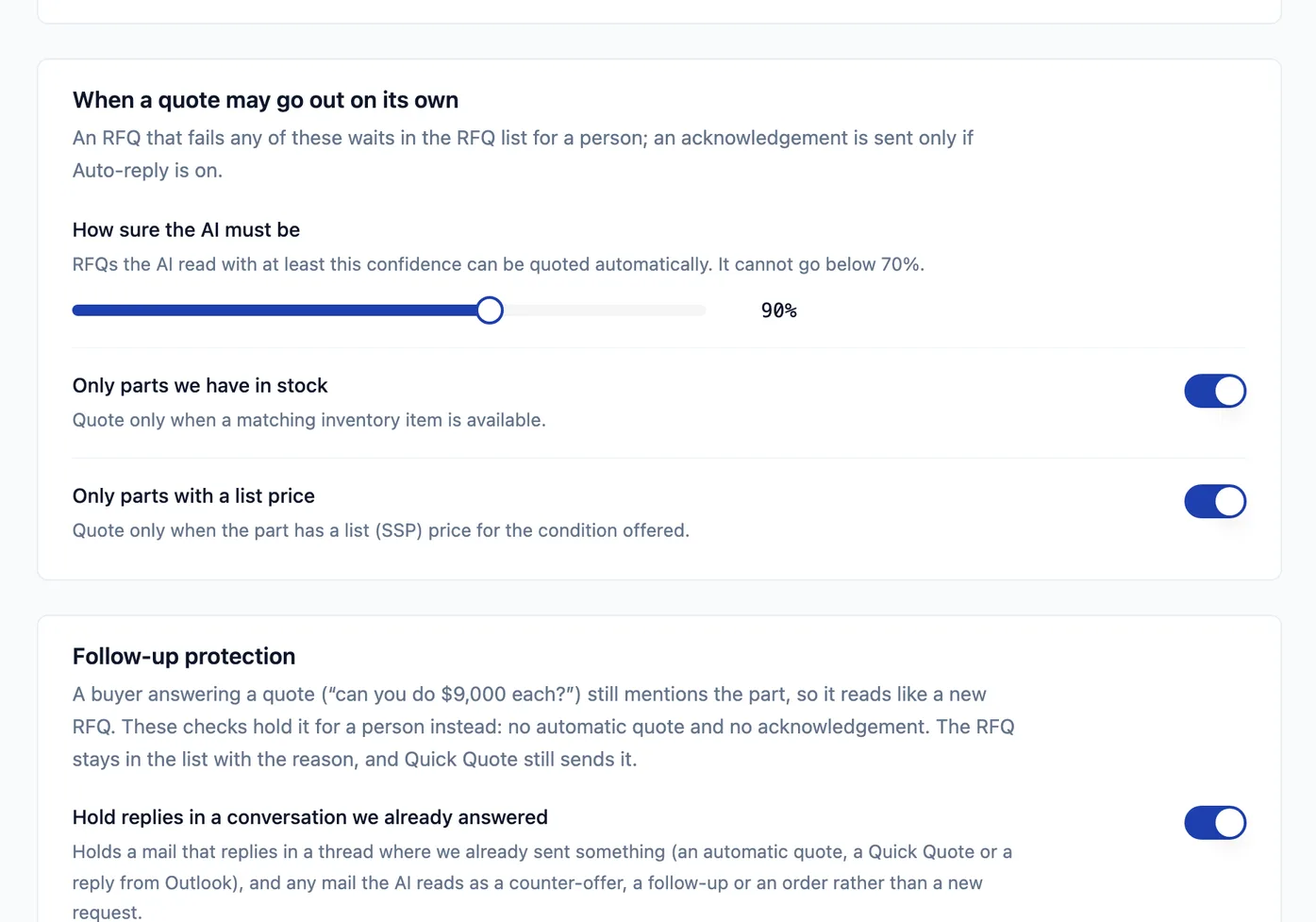
Automatic quoting, with checks you set
For RFQs that arrive by email, a quote goes out on its own only when the AI's reading is confident enough, the part is in stock and it has a list price. Everything else waits in the RFQ list for your team.
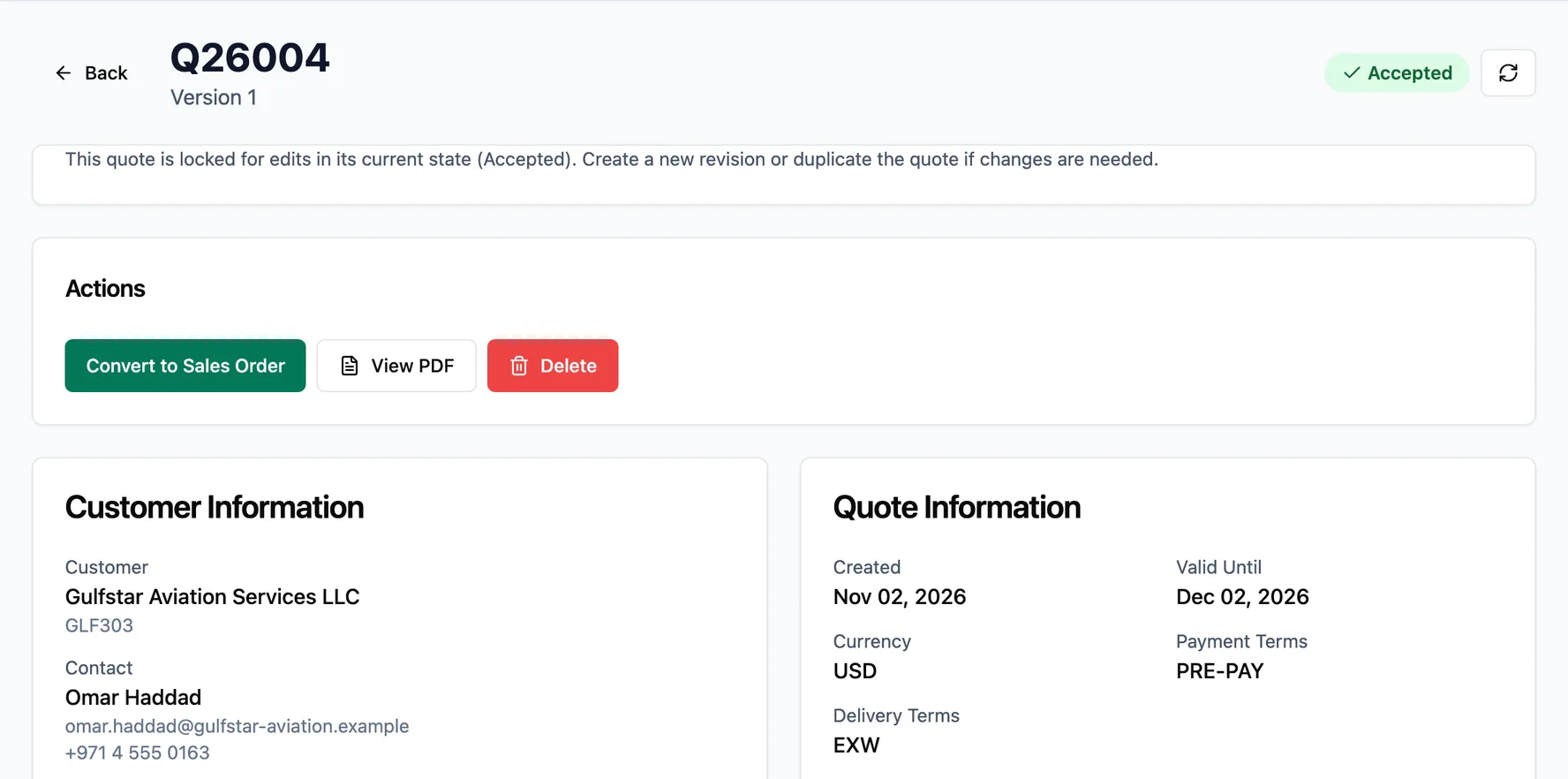
From accepted quote to sales order
When the buyer accepts, Convert to Sales Order turns the quote into the order without re-typing the customer, the lines or the terms.
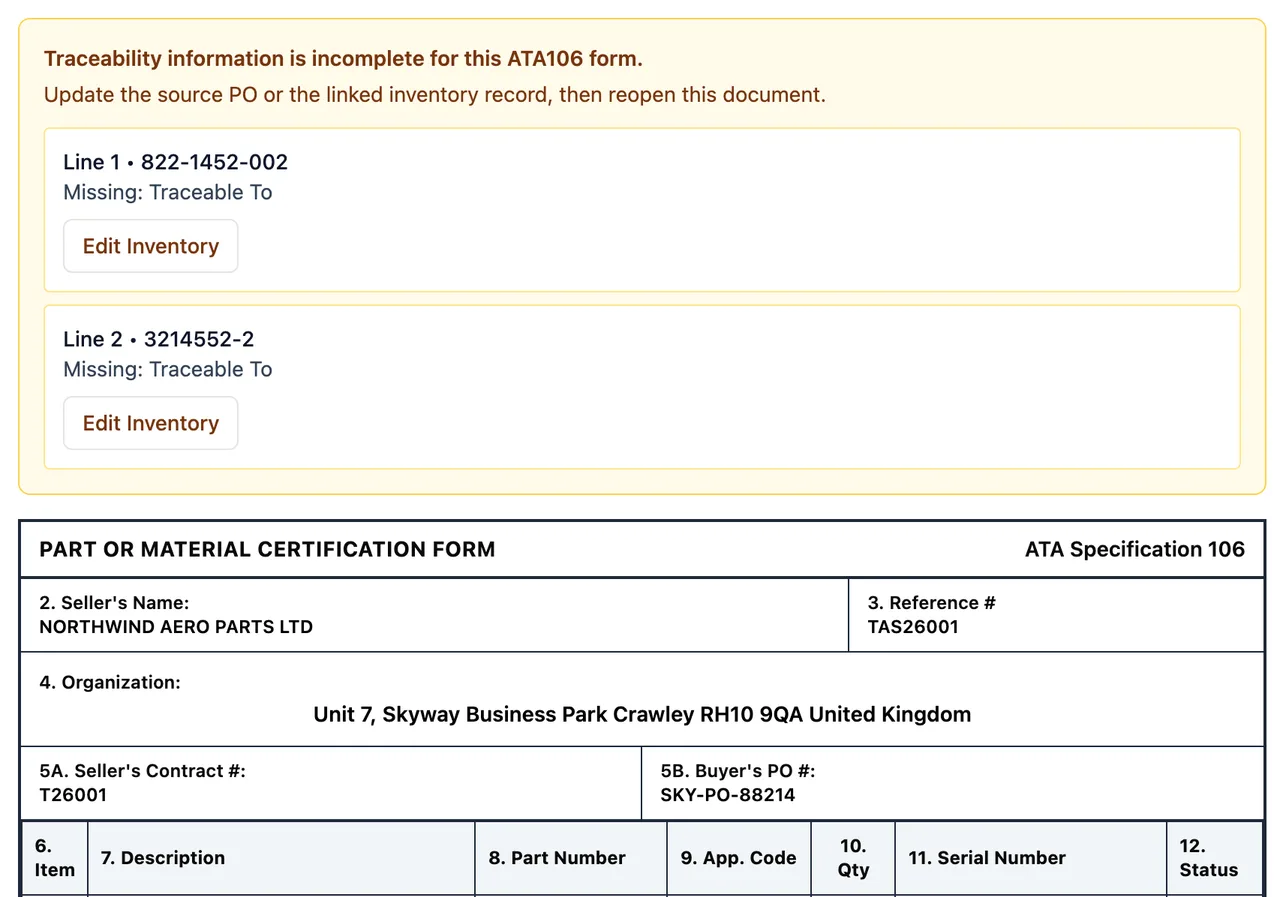
ATA 106 from the order, with gaps flagged
The ATA 106 form fills from the sales order and the stock records. When a line is missing traceability, Fenavia names the field and where to fix it before the form goes to the buyer.
A part number's history in one place
PN360 brings together your stock, past RFQs, quotes, orders and supplier offers for a part number, so the next quote starts with context.
Fenavia works through your own marketplace accounts. It is not affiliated with, endorsed by or a partner of ILSmart, Aeroxchange or PartsBase. Product names belong to their owners.
Questions
Are these real Fenavia screens?
Yes. Every screen in the tour is Fenavia itself, captured in a demo workspace with sample companies, parts and RFQs.
Can I see it with my own parts and RFQs?
Yes. Book a demo and bring a sample of your stock list and a real RFQ; we walk through the same steps with your parts.
Which marketplaces does the RFQ inbox work with?
ILSmart, Aeroxchange and PartsBase through your own accounts, and RFQ emails from a connected Microsoft 365 mailbox. Fenavia is not affiliated with those marketplaces.
See it with your own parts and RFQs.
A 30-minute call. Bring a sample of your stock list and a real RFQ.
Book a demo