
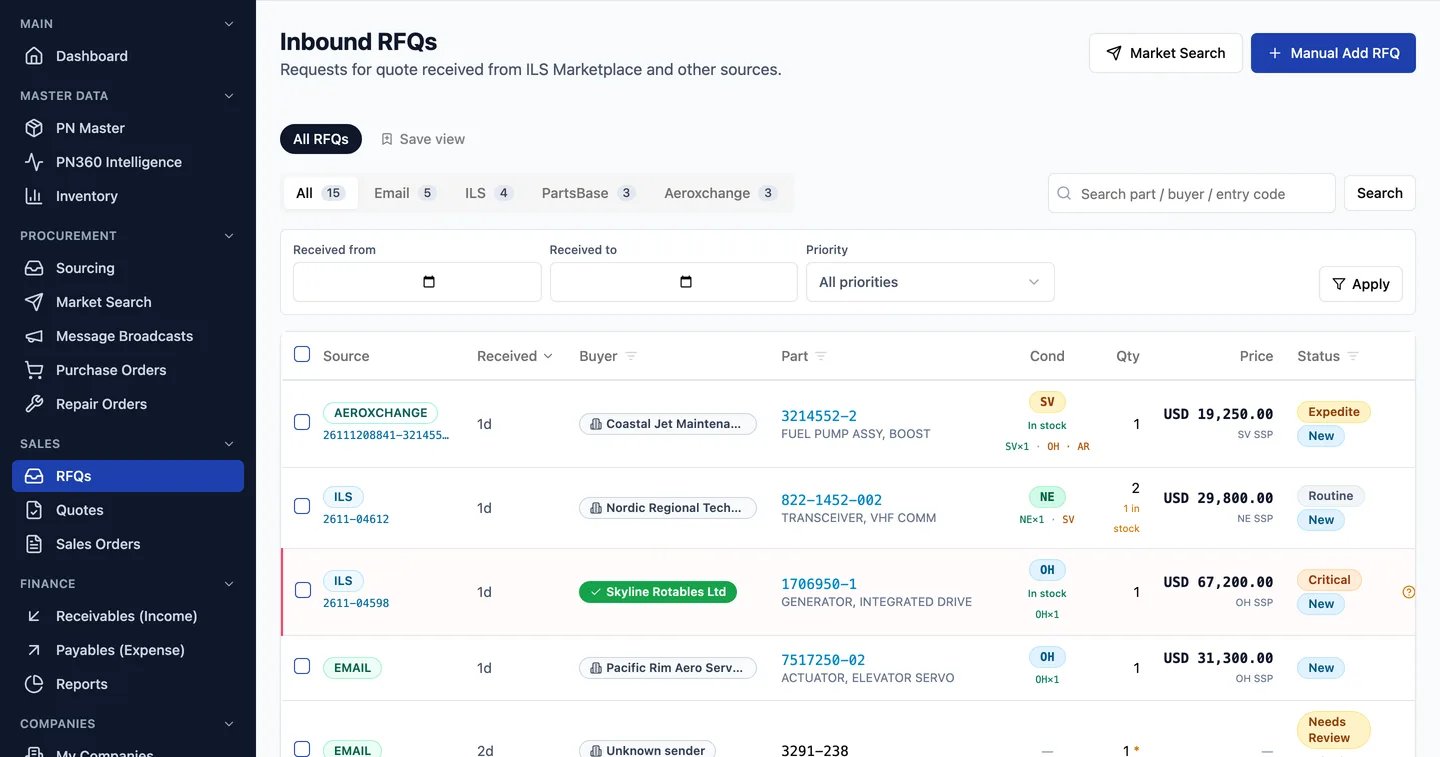
What does each RFQ show?
Source and reference
ILS RFQ number, Aeroxchange eRFQ line, PartsBase RFQ or the email it came from.
Buyer
Matched to a company record, with a tick when Fenavia knows them.
Part, condition, quantity
As the buyer asked, with the description from your part data.
Stock match
In stock or not, and which conditions you hold.
Price
Your list price for that condition, or the price you already quoted.
Status and priority
New, Needs Review, Matched, No Match, Quoted, Won, Lost; AOG to Routine.
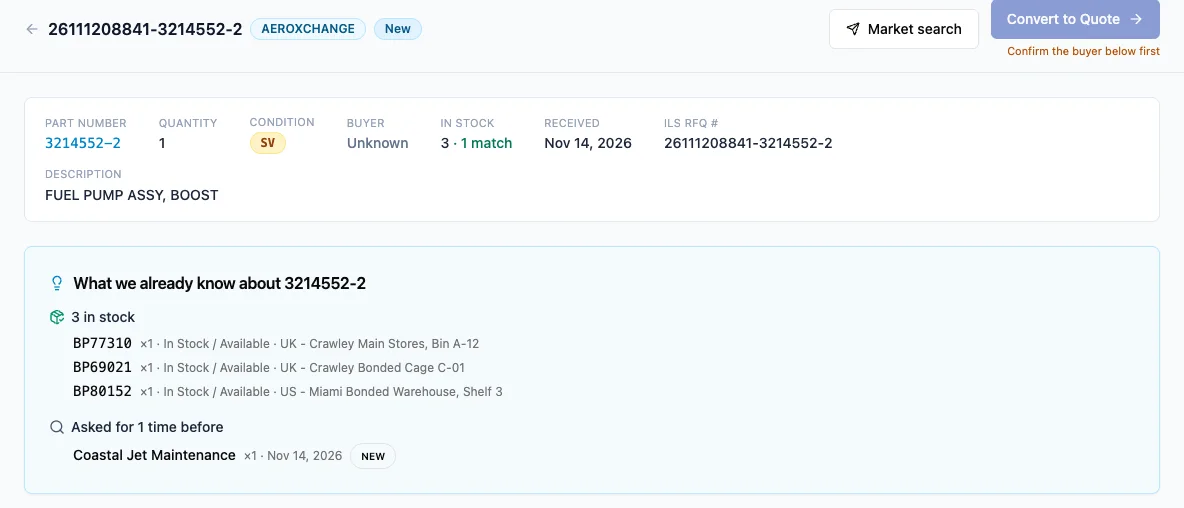
How does an RFQ become a quote and an order?
Open the RFQ
Matching stock, the list price and the buyer's history are already on screen.
Convert or Quick Quote
Convert makes a draft quote to edit. Quick Quote emails the priced quote to the buyer straight away, for one RFQ or several selected together.
Win the order
The quote converts into a sales order without retyping.
Ship and invoice
The order produces the invoice, the ATA 106, the certificate of conformity and the packing slip.
Click through the product tour to see these steps on sample data.
Which RFQs are answered automatically?
RFQs that arrive by email can be quoted by AutoQuote once they pass your checks: stock available, a list price for that condition, a known buyer and enough confidence in what the AI read. Marketplace RFQs wait for a person, who can send them with Quick Quote in one click.
Where do the RFQs come from?
- ILSmart and PartsBase, through the Fenavia Sync Chrome extension and your own logins.
- Aeroxchange eRFQs, fetched when the invitation reaches your mailbox.
- Free-text RFQ emails in your Microsoft 365 mailbox, read by AI.
Fenavia works through your own marketplace accounts. It is not affiliated with, endorsed by or a partner of ILSmart, Aeroxchange or PartsBase. Product names belong to their owners.
Questions
Which RFQ sources does the Fenavia inbox collect?
ILSmart, Aeroxchange and PartsBase RFQs, through your own accounts, and RFQ emails from your connected Microsoft 365 mailbox. You can also add an RFQ by hand.
Does Fenavia send quotes back into ILSmart or PartsBase?
No. Quotes go to the buyer by email from your own mailbox. Fenavia does not post quotes into marketplace portals.
What happens when the same RFQ arrives twice?
Fenavia keeps one. An ILS RFQ that comes in through the extension and by email is matched on its ILS RFQ number and part number, and an email RFQ is never read twice.
Can several people work the RFQ inbox?
Yes. Each user signs in with their own account and role, filters by source, status or priority, and can save their own views.
See it with your own parts and RFQs.
A 30-minute call. Bring a sample of your stock list and a real RFQ.
Book a demo