
How do you connect a Microsoft 365 mailbox?
Enter the RFQ mailbox
An admin opens Settings, then Mailboxes, and enters the address your RFQs arrive at.
Choose the access mode
Quick Connect is ready in minutes. Restricted Access limits Fenavia to approved mailboxes after a one-time step by an Exchange admin.
Approve in Microsoft
Your Microsoft 365 administrator signs in and approves access once.
RFQs start arriving
New RFQ emails appear in the Fenavia inbox, next to marketplace RFQs.
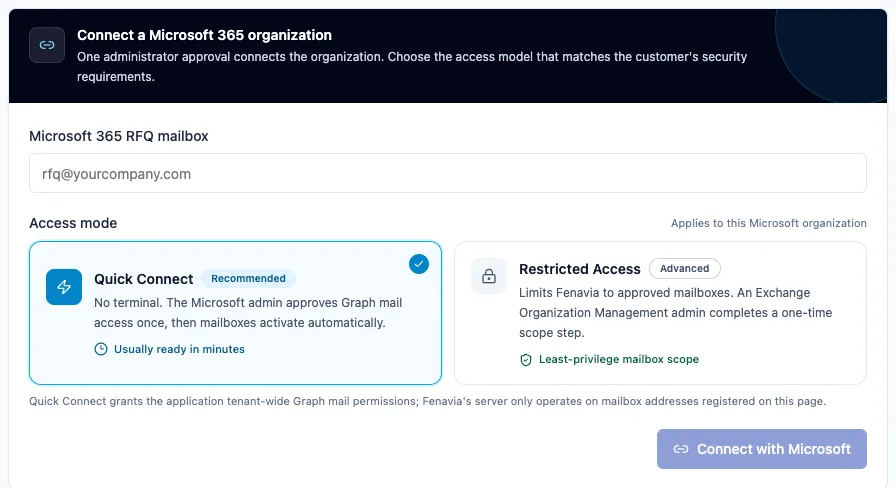
One Microsoft 365 admin approval connects the mailbox; there is nothing to install on your server.
Which emails does Fenavia read?
New messages in the Inbox folder of each registered mailbox. Microsoft notifies Fenavia when mail arrives, and a regular catch-up sync covers anything missed. Mail that your Outlook rules move into subfolders is not read, so keep RFQ mail in the Inbox.
AI reads free-text requests for part numbers, quantities and conditions. Each email is read once, and replies from your own colleagues are not treated as new RFQs. ILSmart and PartsBase notification emails can be read too, as an option.
Which emails does Fenavia send from your mailbox?
Quotes
Sent by AutoQuote or by a person, with the quote PDF and certificates attached.
Acknowledgements
A short reply when an RFQ cannot be quoted automatically, unless you switch it off.
Invoices
Sent from the sales order, from your own address.
Supplier RFQs
Market Search requests to suppliers, with replies read back into Fenavia.
Copies are set per email type: for example, every invoice can BCC your accounts mailbox. Your email signature, with your logo, can be added to every template. See AutoQuote for the rules on automatic quotes.
Questions
Does Fenavia work with Gmail?
No. Fenavia connects to Microsoft 365 mailboxes only today.
Does Fenavia read all of our company's email?
No. It works only with the mailbox addresses you register in Settings, and reads new messages in their Inbox folder. Restricted Access also limits the Microsoft permission itself to those mailboxes.
Can we connect more than one mailbox?
Yes. You choose a default sender for new emails; replies you write yourself stay on the mailbox that received the conversation.
Are automatic quotes sent as replies?
Yes. A quote for an email RFQ is sent as a reply in the buyer's thread, from your own address.
See it with your own parts and RFQs.
A 30-minute call. Bring a sample of your stock list and a real RFQ.
Book a demo